Quick Start
Connect the LexSocket MCP server to your favourite AI client in under 5 minutes.
Prerequisites
Create your LexSocket account first by clicking Start for free or Login at lexsocket.ai.
Choose Your Connection Method
The fastest way to get started. The Claude Marketplace installs the LexSocket connector (TED + National Tenders) in one step.
Claude Desktop
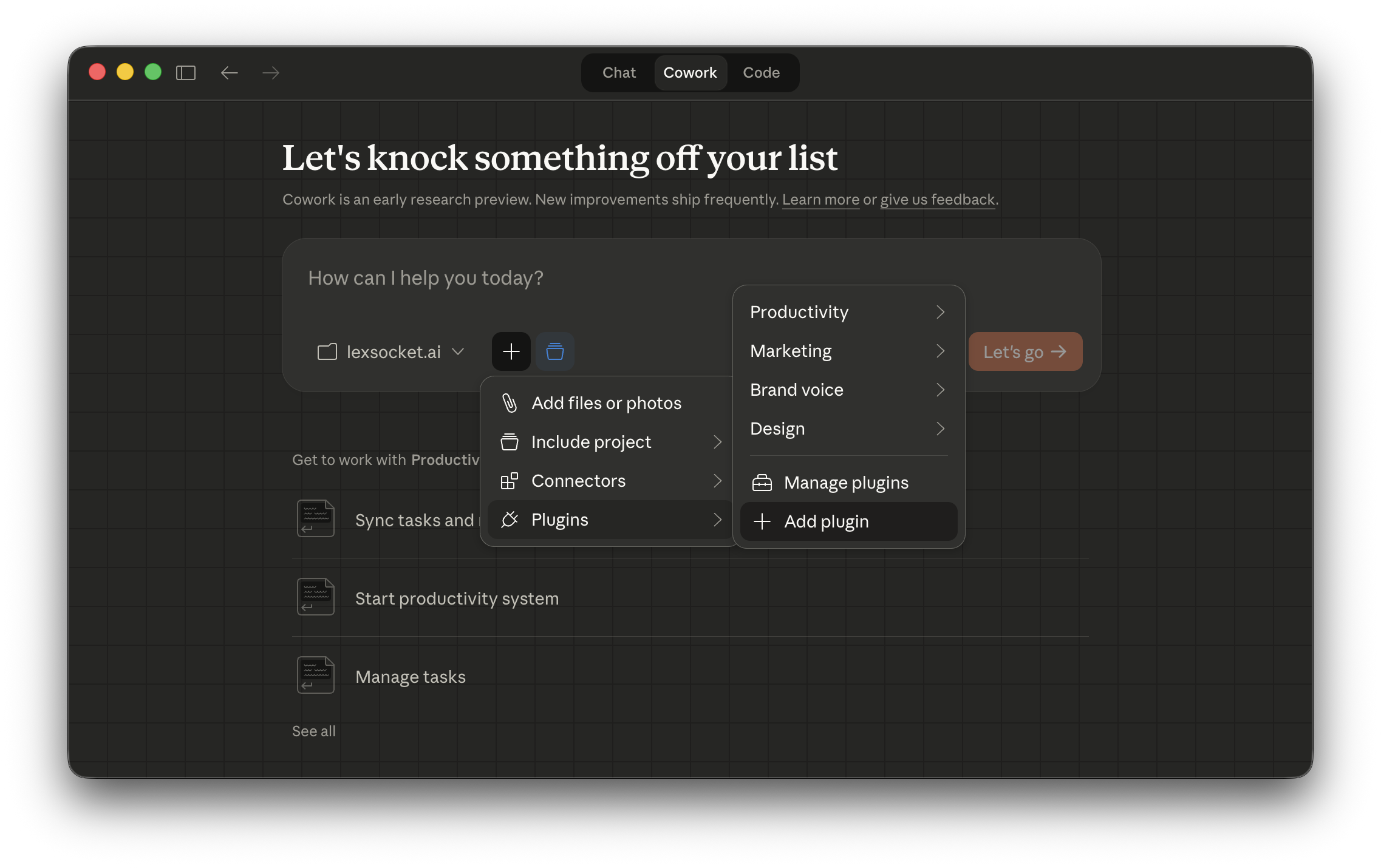
1. Open Plugins
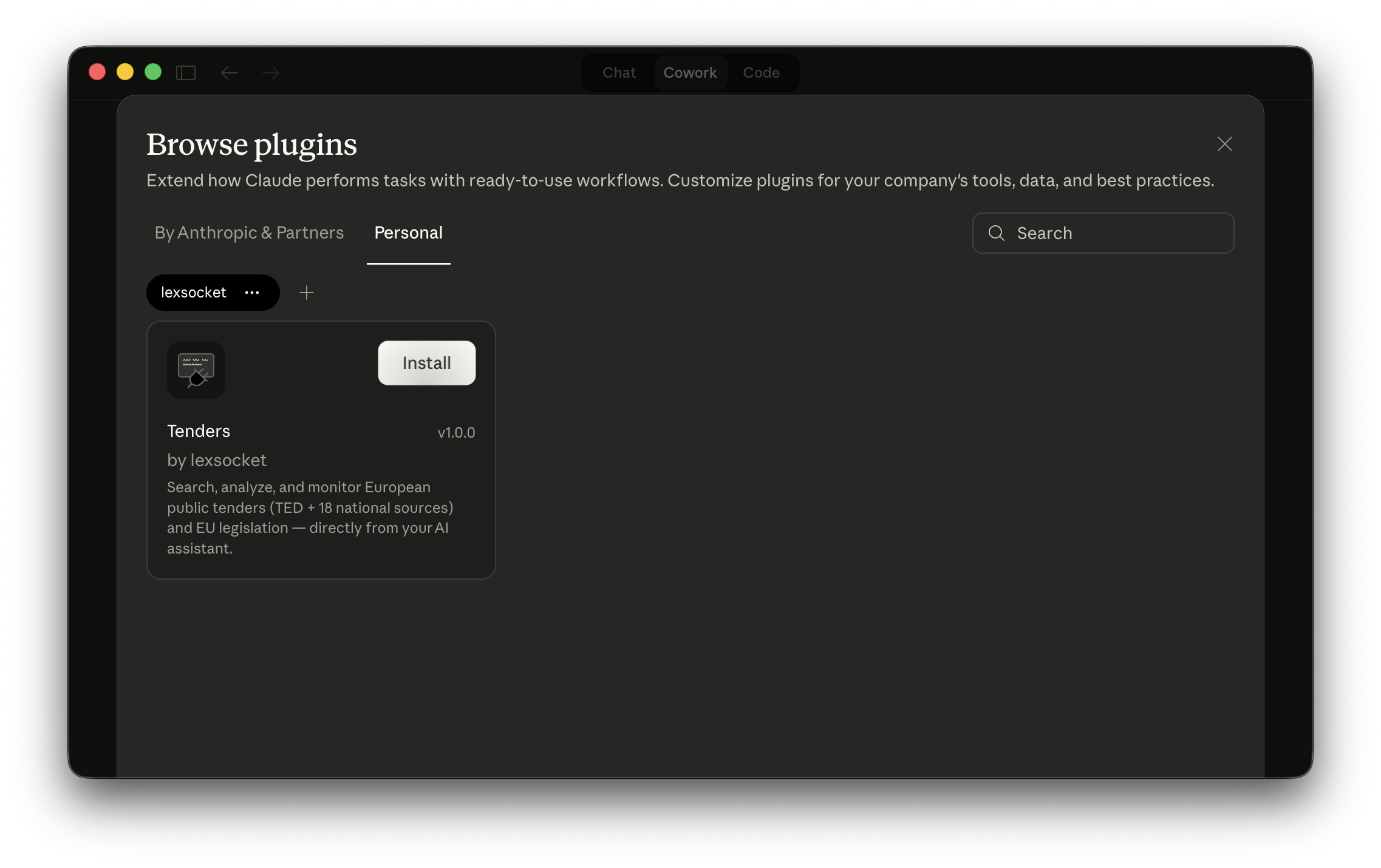
Click the Plugins icon in the sidebar, then go to the Personal tab.
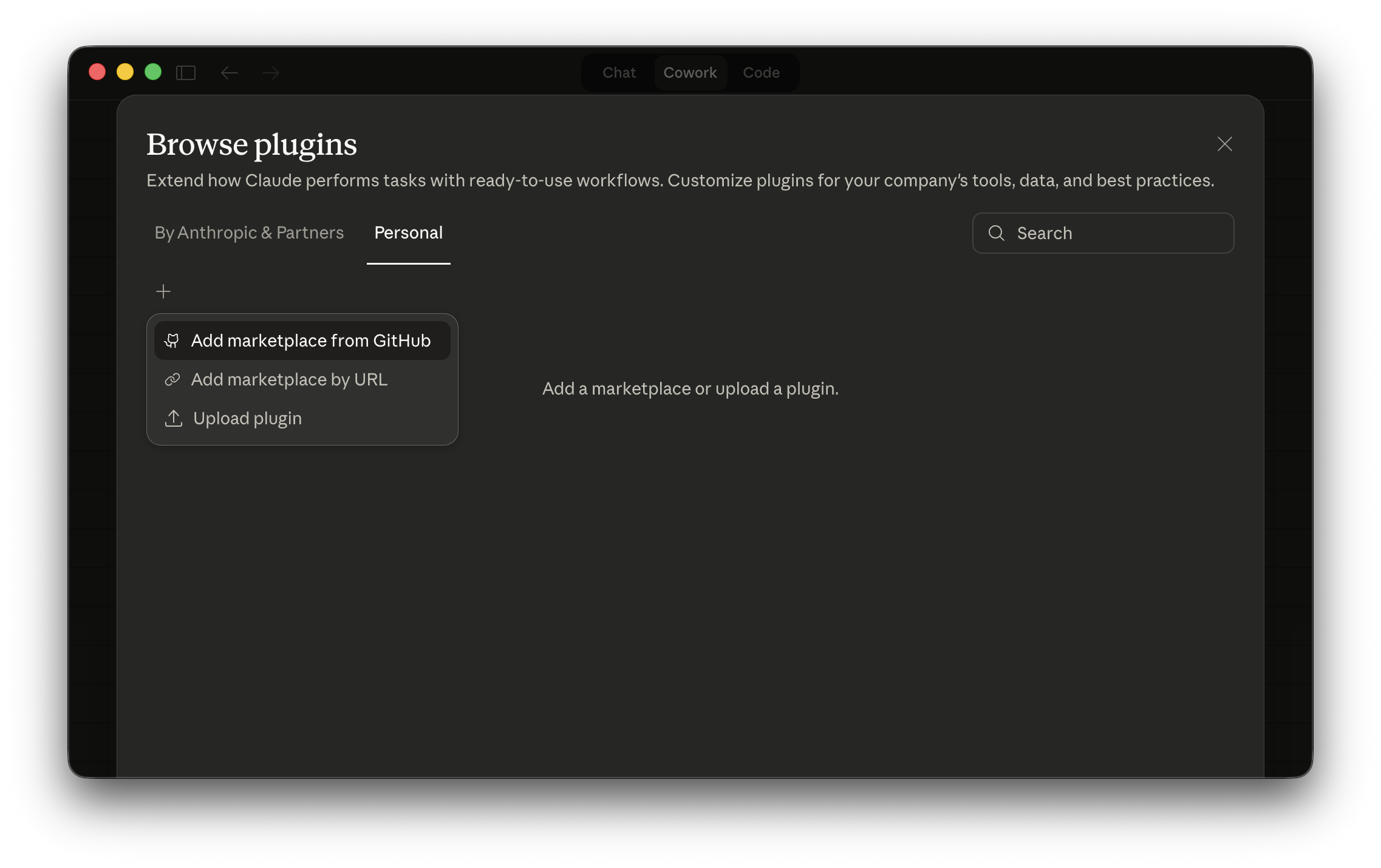
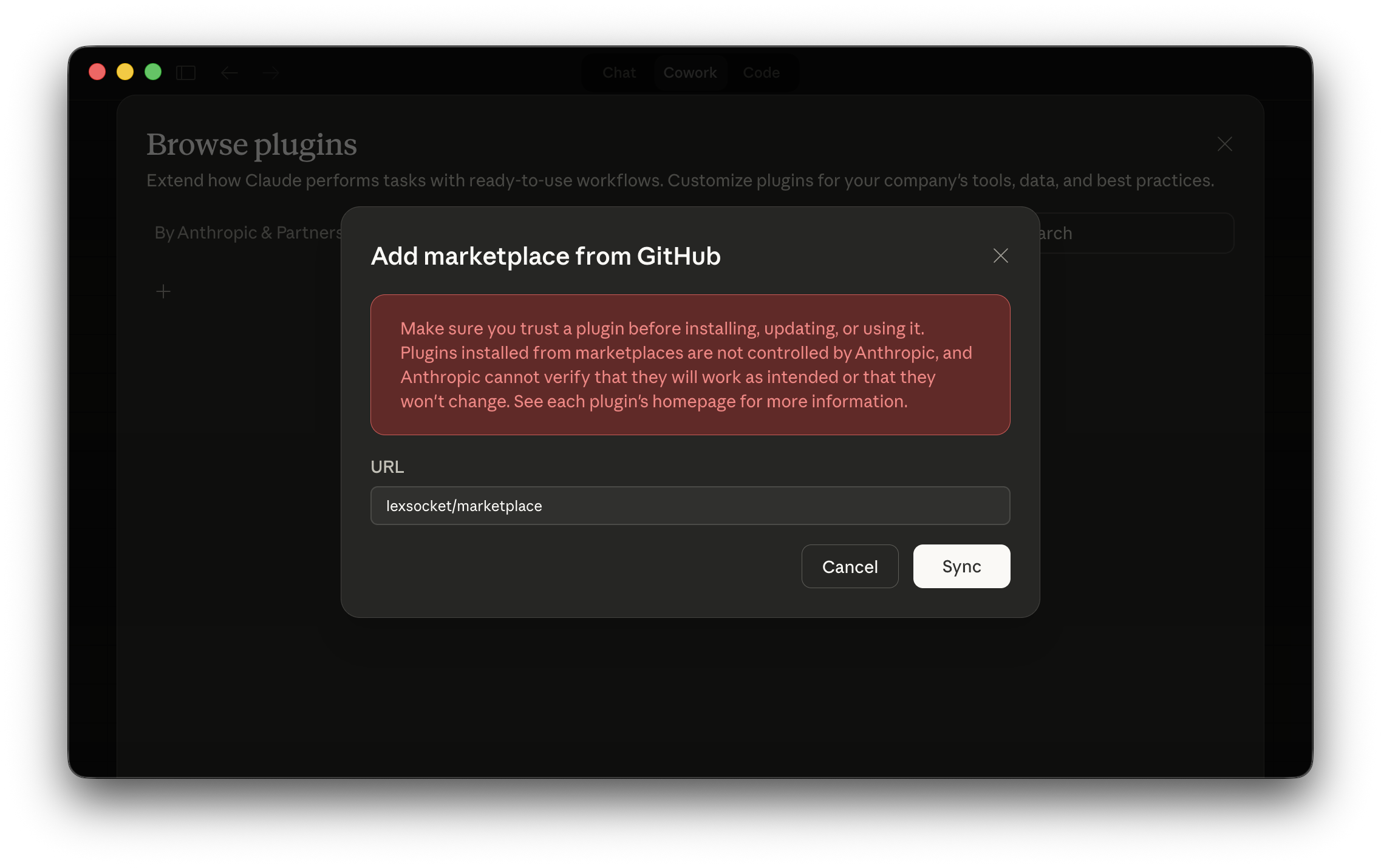
2. Add the LexSocket marketplace
Click Add marketplace from GitHub and enter:
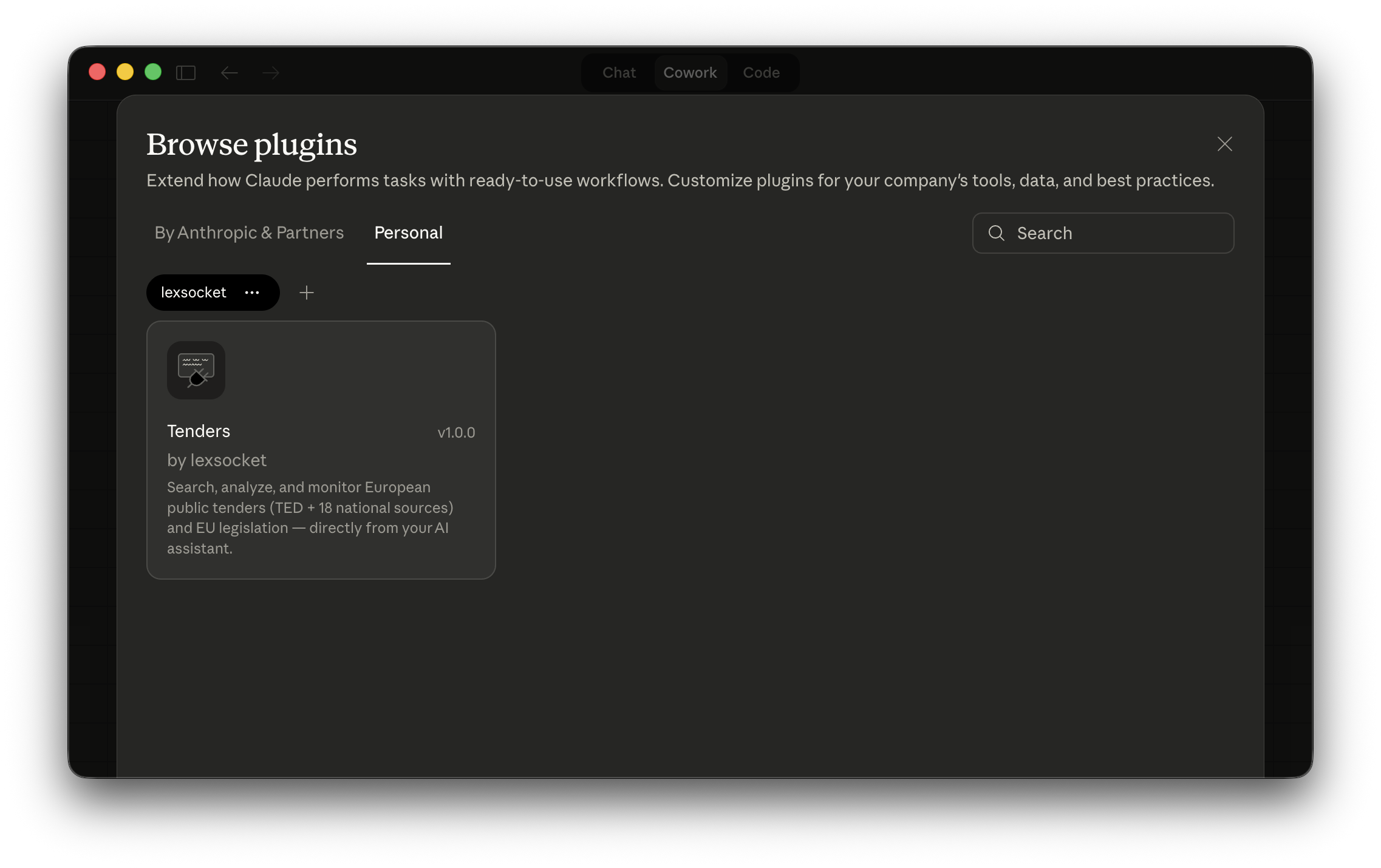
3. Install the Tenders plugin
Click on the tenders plugin in the marketplace to install it.
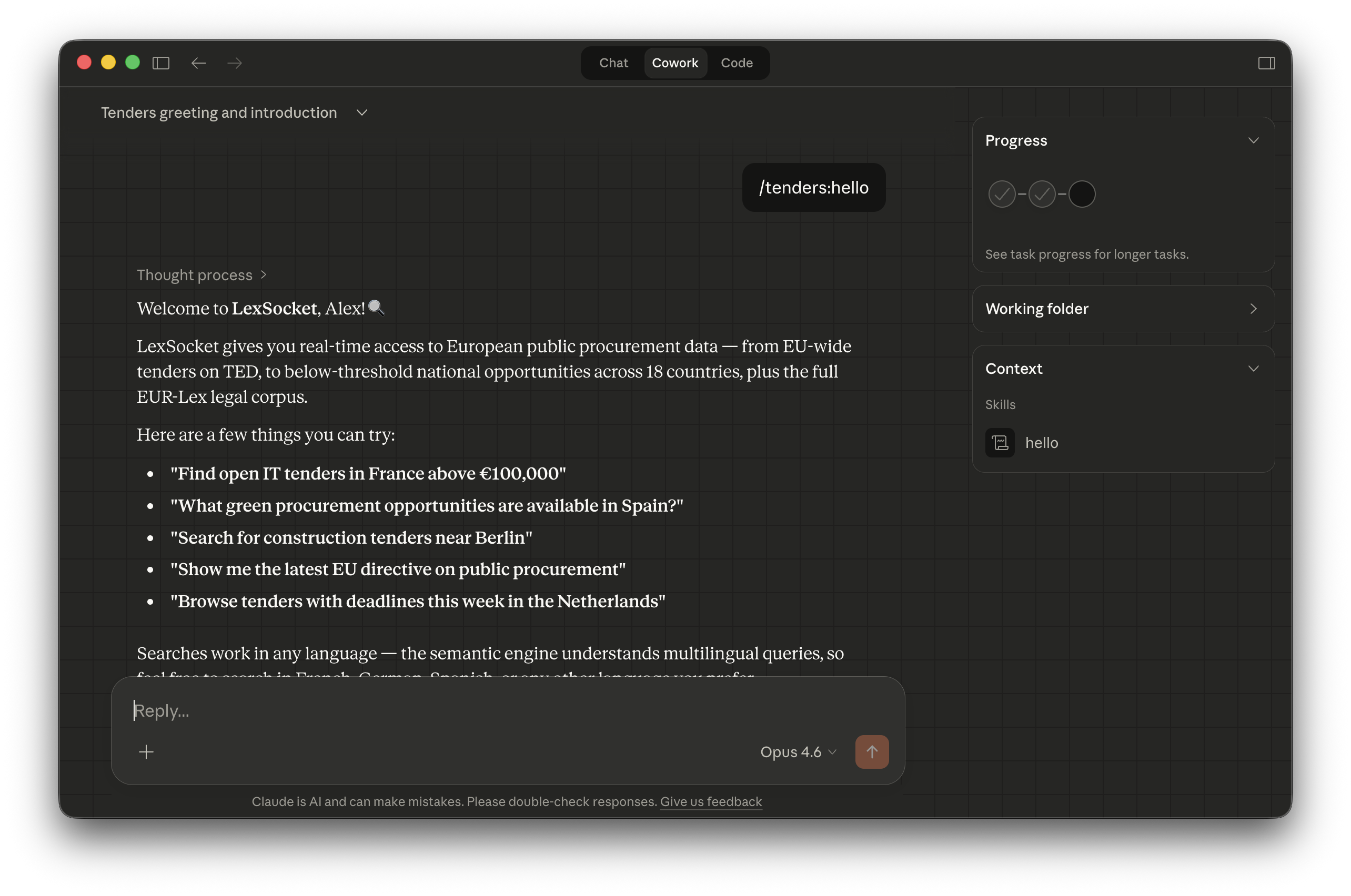
Done — TED and National Tenders are ready
Both servers are now available through a single connection. Type /tenders in the chat to start.
Claude Code
1. Add the marketplace
2. Install the plugin
3. Authenticate
Run /mcp and follow the OAuth2 login in your browser.
4. Verify
Done — TED and National Tenders are ready
Both servers are available in your Claude Code session.
For any MCP client that supports JSON configuration (Claude Desktop, Cursor, Windsurf, etc.). Uses OAuth — no API key needed.
Add this to your client's MCP configuration file (e.g. claude_desktop_config.json):
This single URL provides access to all TED and National Tenders tools.
Backward-compatible paths
The /ted and /national_tenders paths still work if you prefer separate connections, but the root URL is the recommended approach.
After adding the configuration, restart your AI client. OAuth authentication will be triggered automatically on first use.
For clients that don't support OAuth (Le Chat, Cherry Studio, custom integrations). Requires an API key from your LexSocket dashboard.
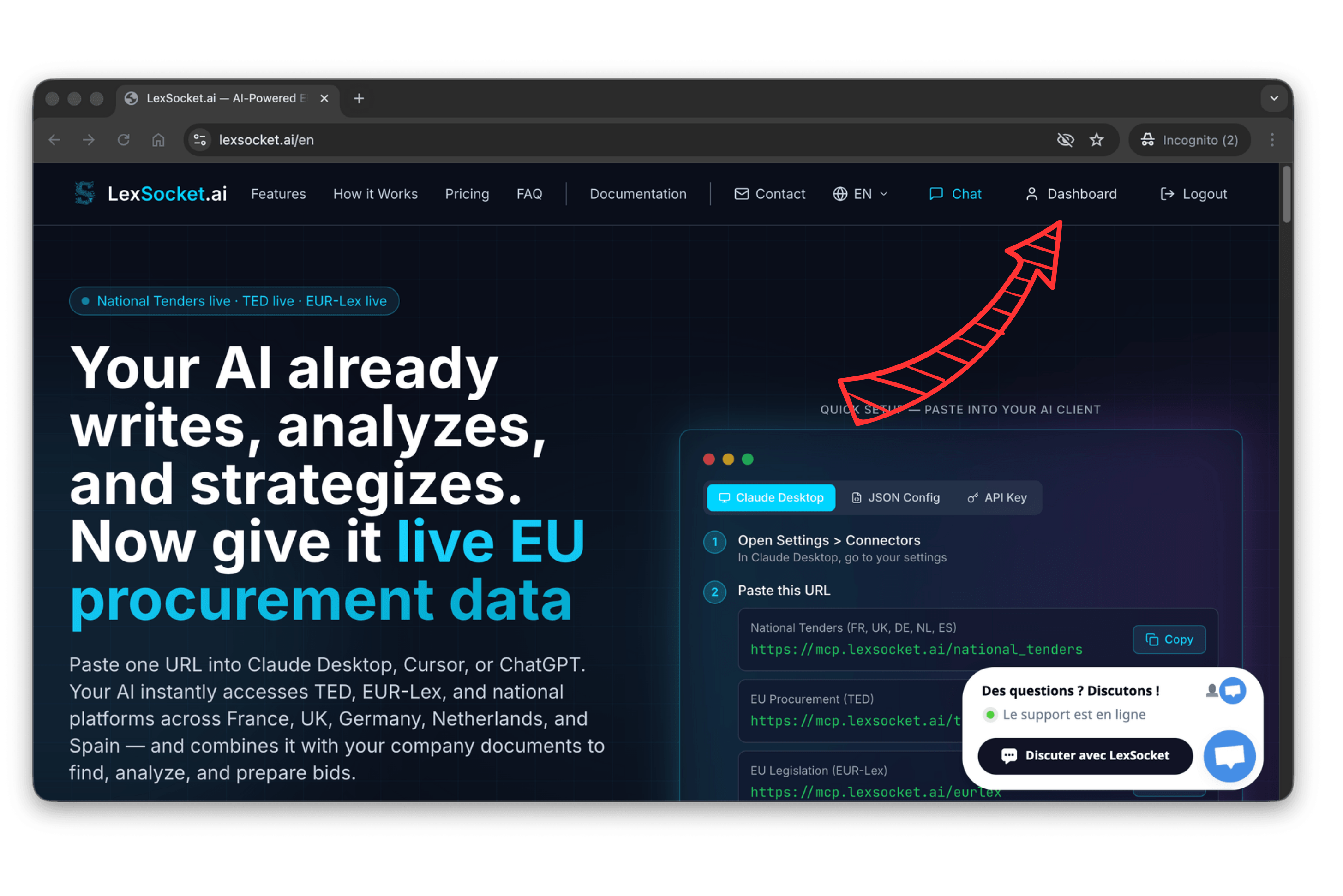
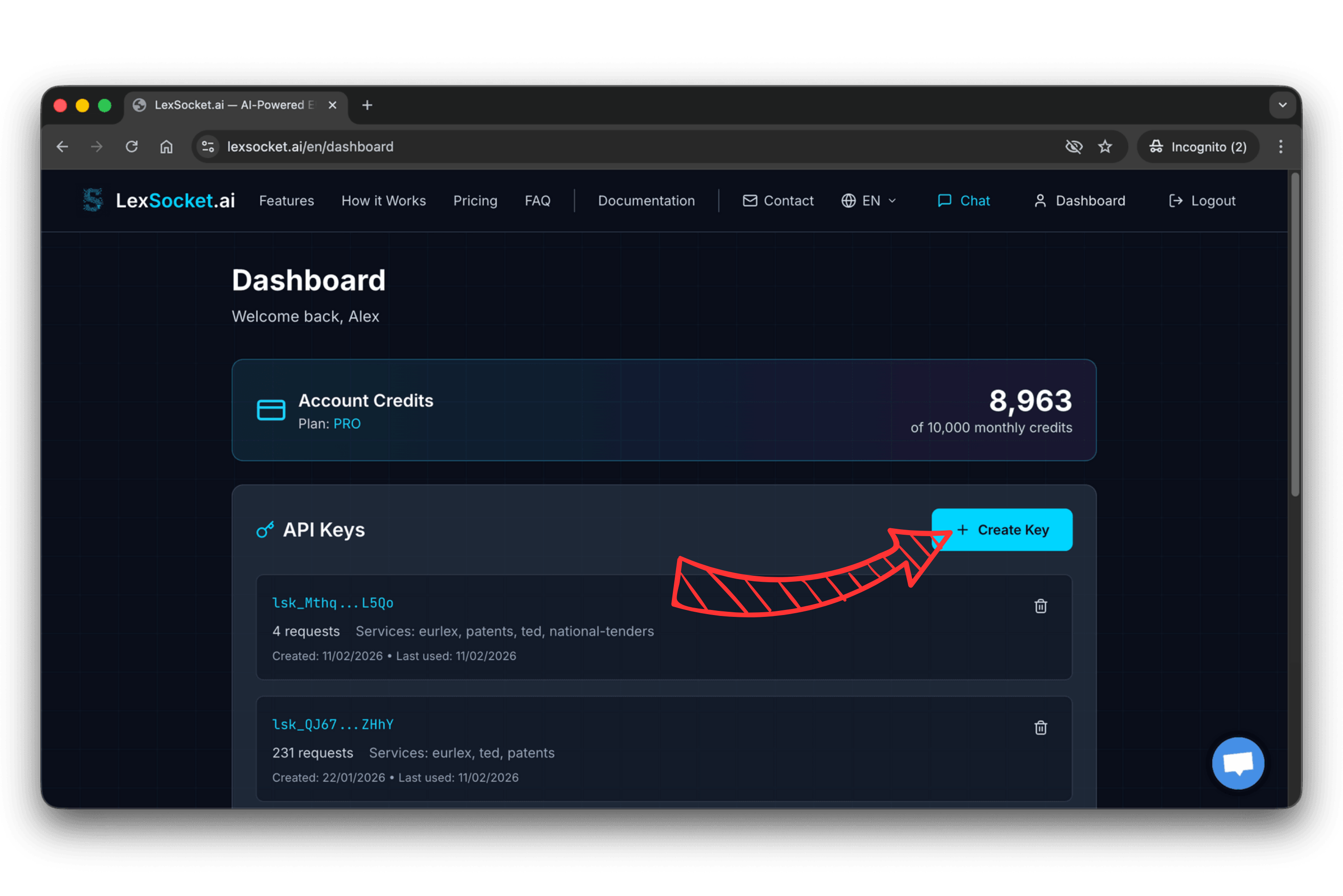
1. Get Your API Key
Log in to lexsocket.ai, click Dashboard, then Create key.
2. Add to your configuration
{
  "mcpServers": {
    "lexsocket": {
      "url": "https://mcp.lexsocket.ai/",
      "headers": {
        "x-api-key": "<YOUR_API_KEY>"
      }
    }
  }
}
Keep your key safe
Never commit your API key to version control. Use environment variables or secret managers in production.
Client-Specific Guides
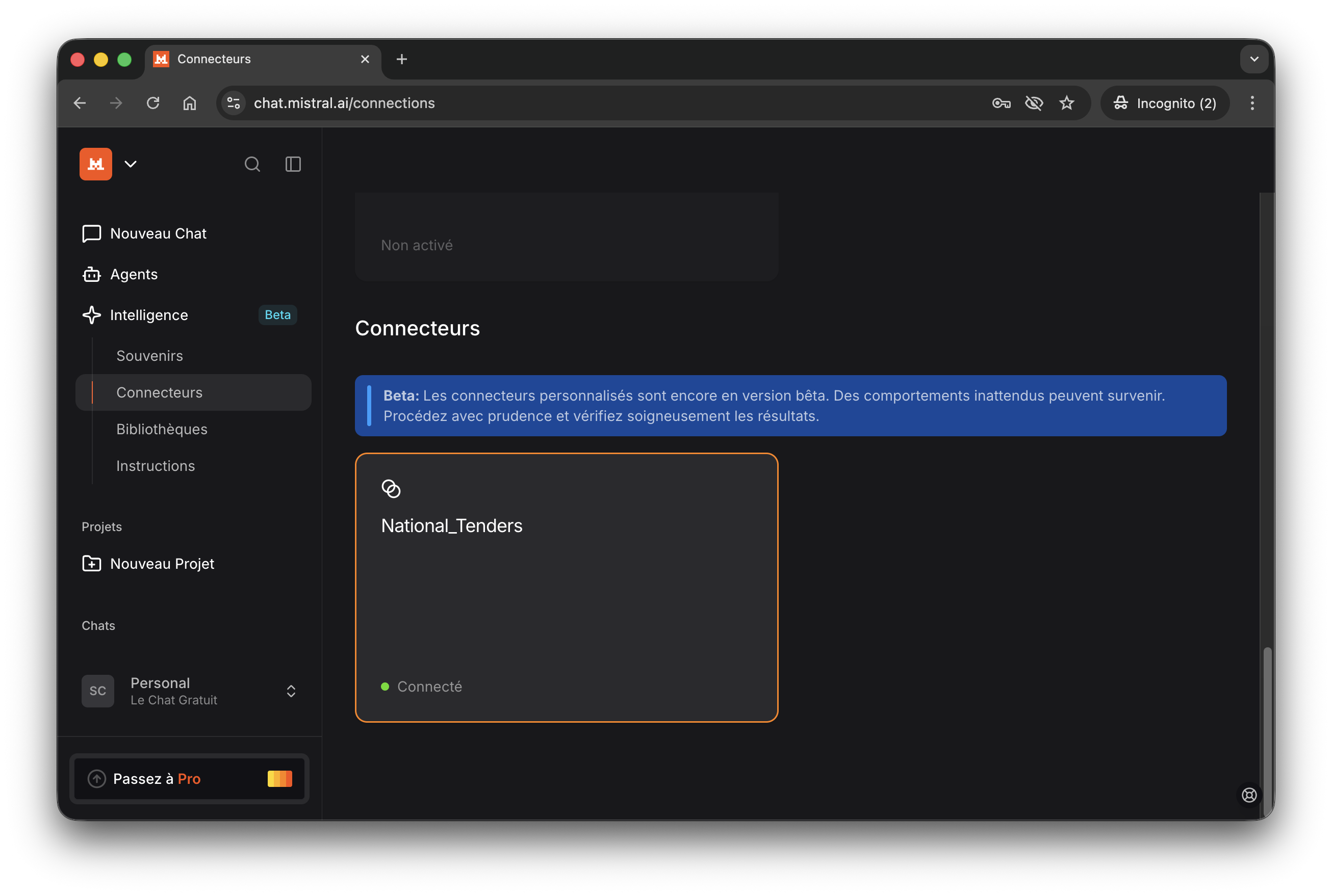
Le Chat (Mistral)
Le Chat requires an API key for MCP authentication.
1. Get your API key from the LexSocket dashboard (see API Key tab above).
2. Open chat.mistral.ai and click Create connector.
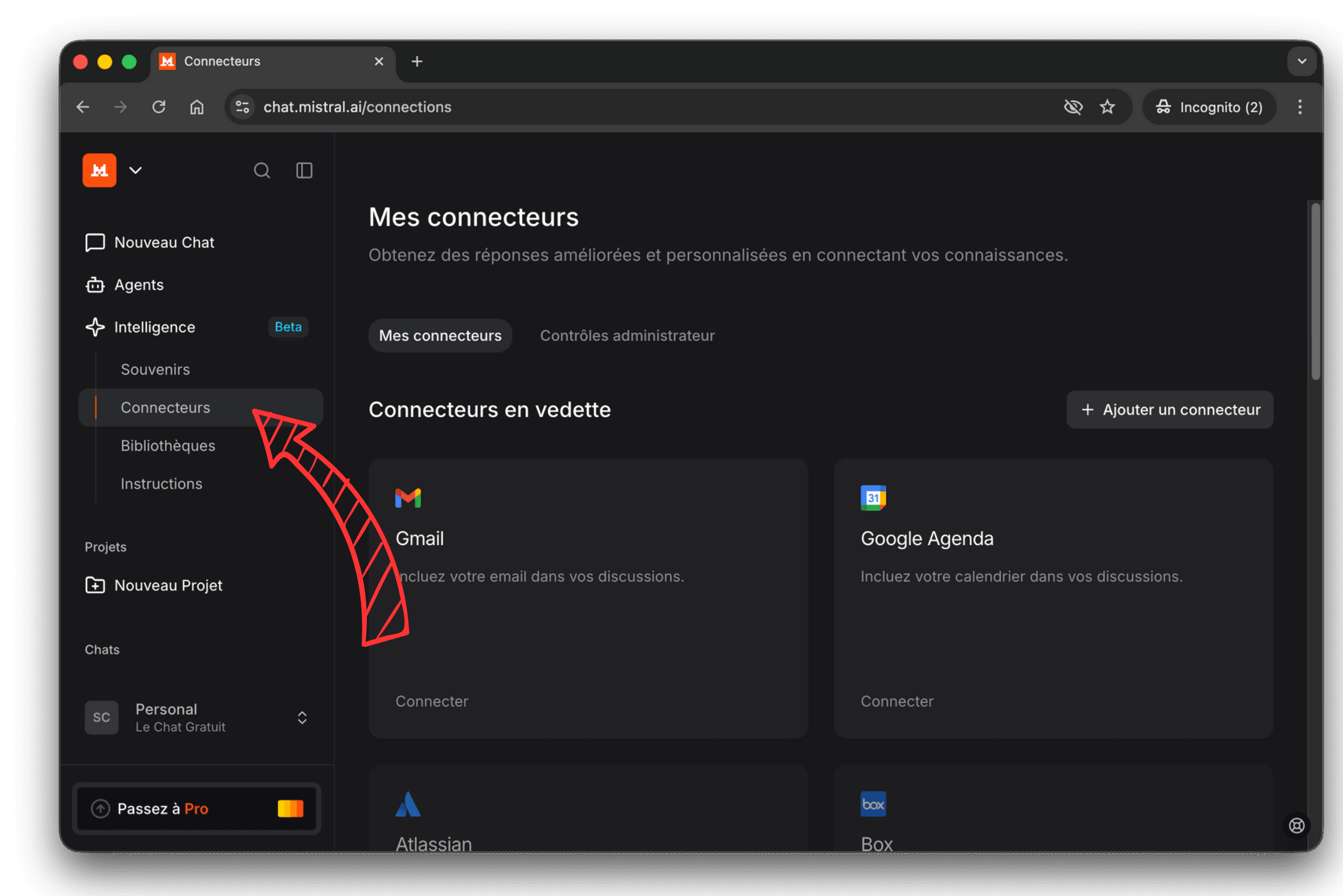
3. Select Custom MCP.
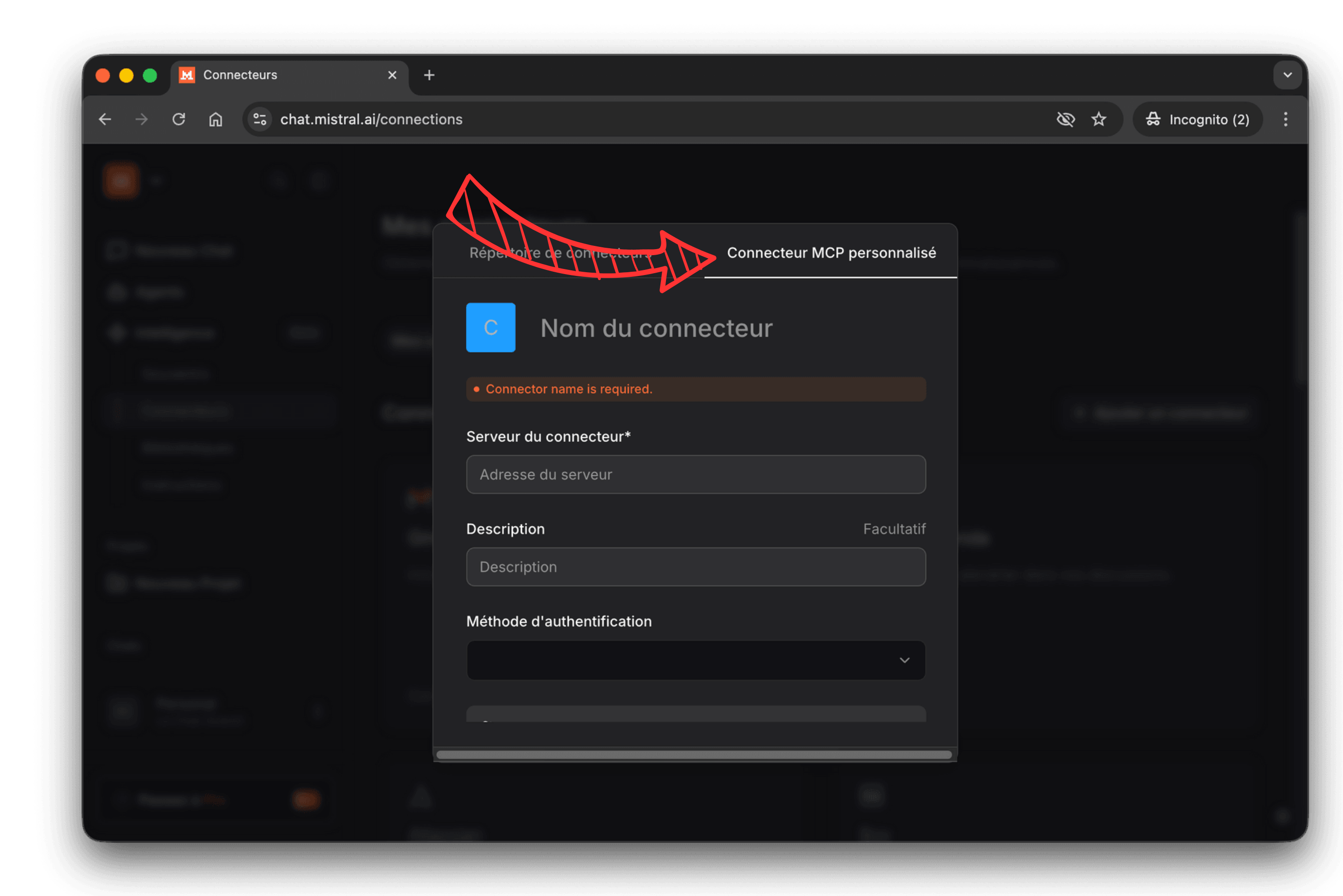
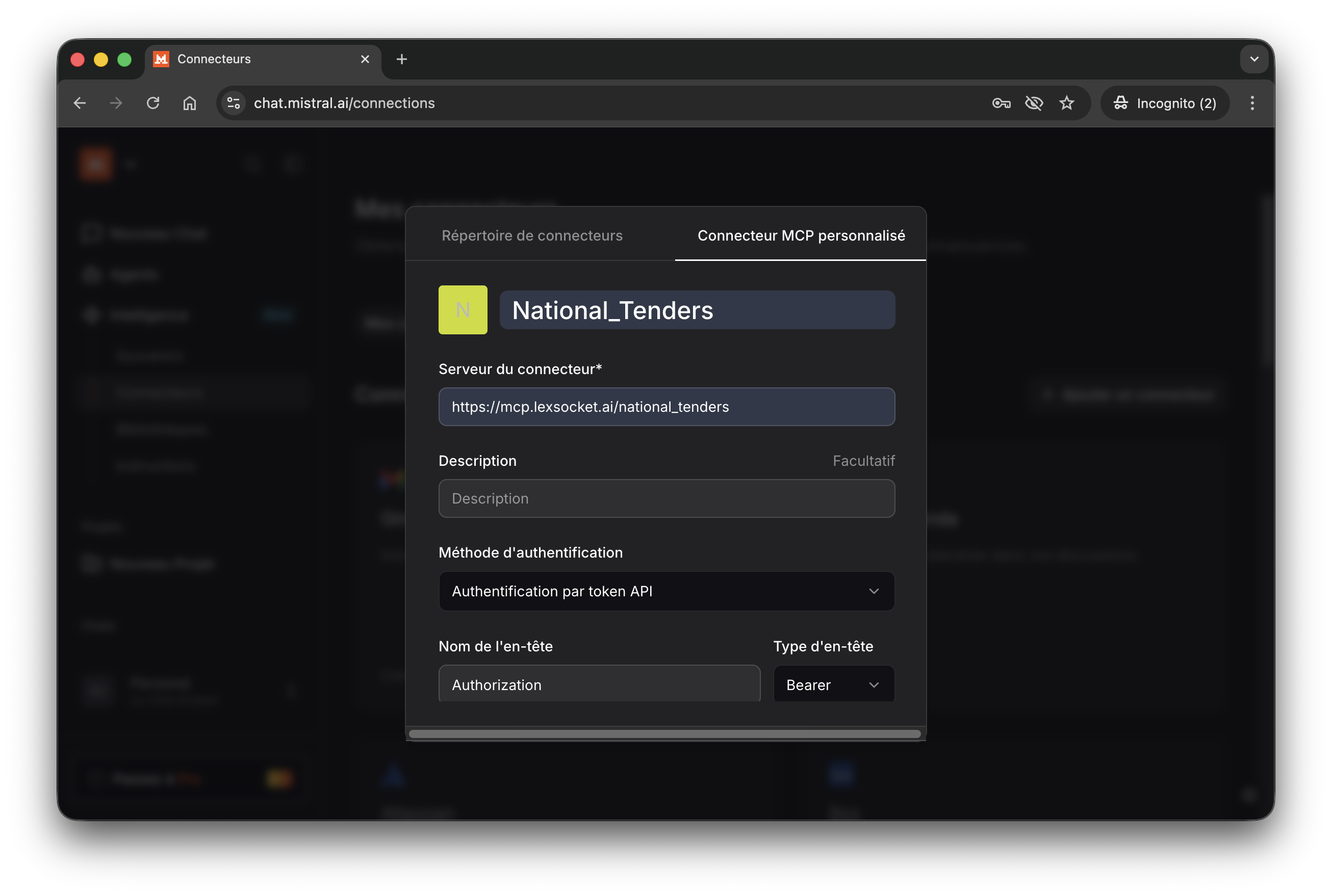
4. Enter the server URL and select API Token as the authentication method.
| Field | Value |
|---|---|
| URL | https://mcp.lexsocket.ai/ |
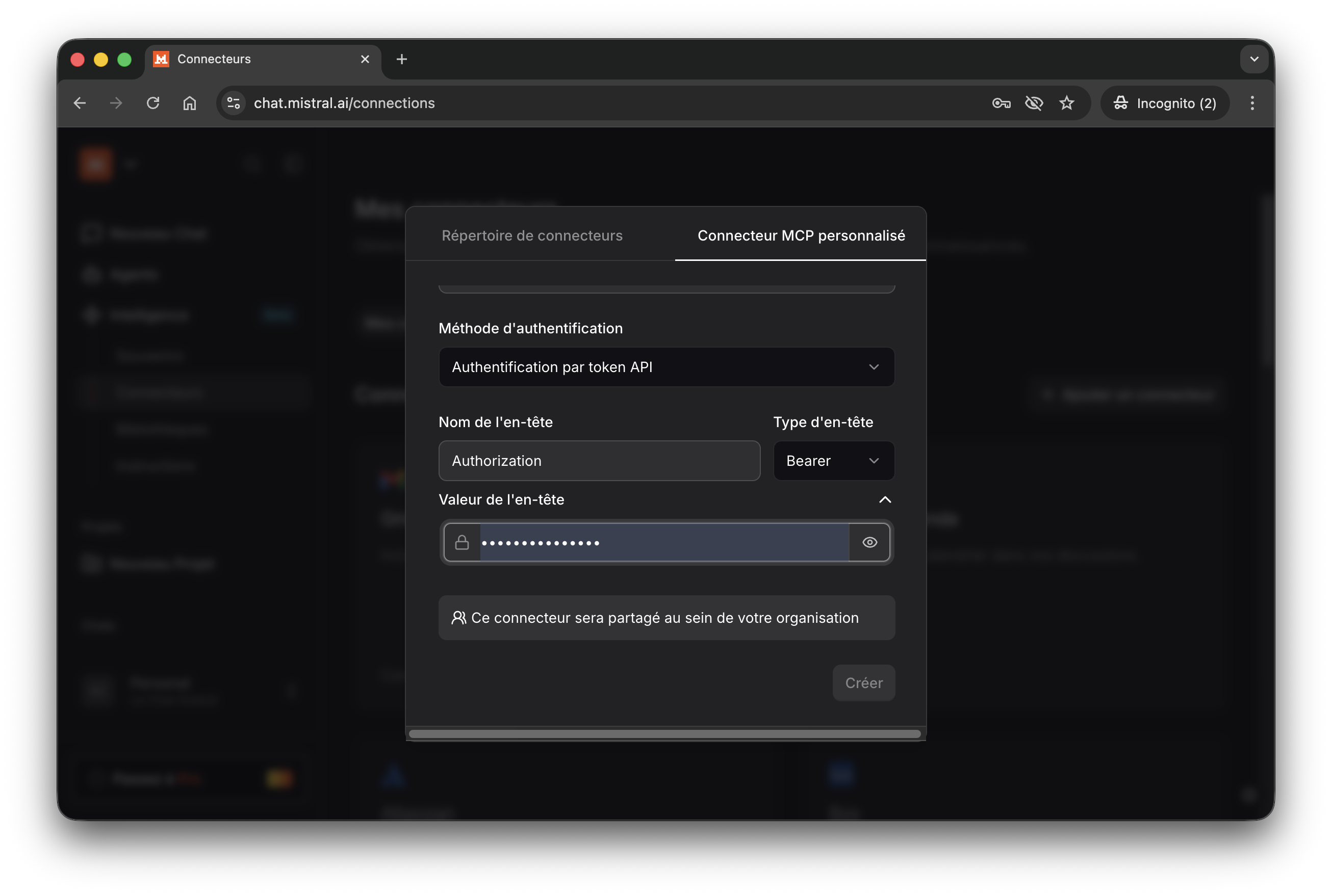
5. Paste your LexSocket API key in the token field.
You're all set!
Ask Le Chat a question like "Find active construction tenders in France" and it will call the LexSocket MCP tools automatically.
Cherry Studio
Cherry Studio supports MCP servers via its settings panel. Configure a new MCP server with:
| Field | Value |
|---|---|
| Name | LexSocket |
| Type | Streamable HTTP (streamableHttp) |
| URL | https://mcp.lexsocket.ai/ |
| Headers | Content-Type: application/jsonx-api-key: YOUR_API_KEY |
| Timeout | 60s |
Cursor
Add the following to your Cursor MCP settings (.cursor/mcp.json):
OAuth authentication is handled automatically.
ChatGPT (via plugins)
ChatGPT supports MCP servers through its plugin system. Use the single URL with your API key:
| Field | Value |
|---|---|
| URL | https://mcp.lexsocket.ai/ |
Any MCP Client
LexSocket works with any client that supports the Model Context Protocol. Use the server URL from the JSON Config or API Key tabs above, depending on whether your client supports OAuth.
| Authentication | When to use |
|---|---|
| OAuth (no key needed) | Claude Desktop, Claude Code, Cursor, Windsurf |
| API Key (from dashboard) | Le Chat, Cherry Studio, ChatGPT, custom agents |
Try a Query
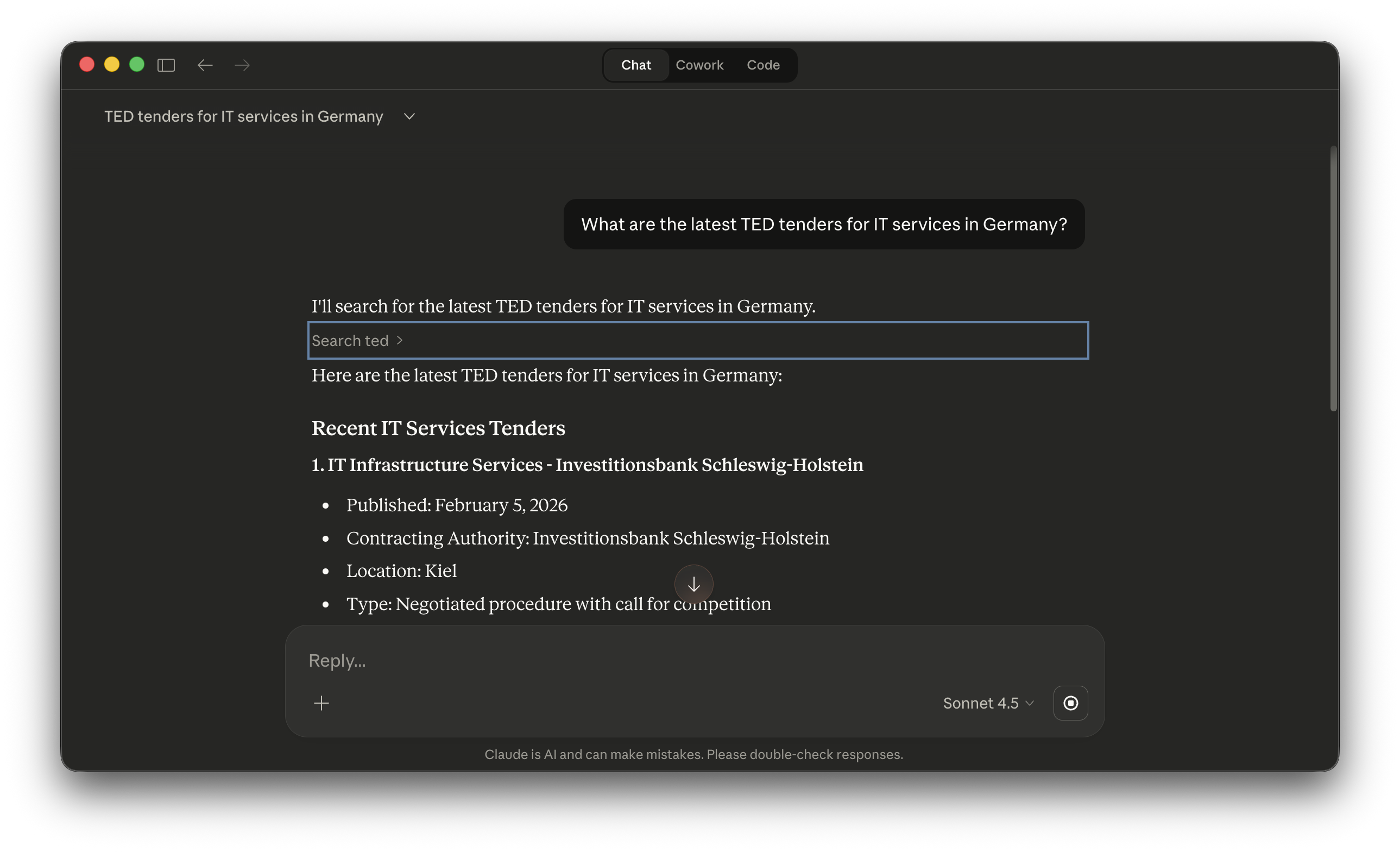
Once connected, try a natural language question:
"What are the latest TED tenders for IT services in Germany?"
Your AI agent will automatically call the appropriate MCP tools and return structured results.
Next Steps
- Examples: Real-world usage scenarios with screenshots
- TED Overview: Full reference of TED procurement search tools
- National Tenders Overview: Search below-threshold national tenders